
- OS Operating Systems
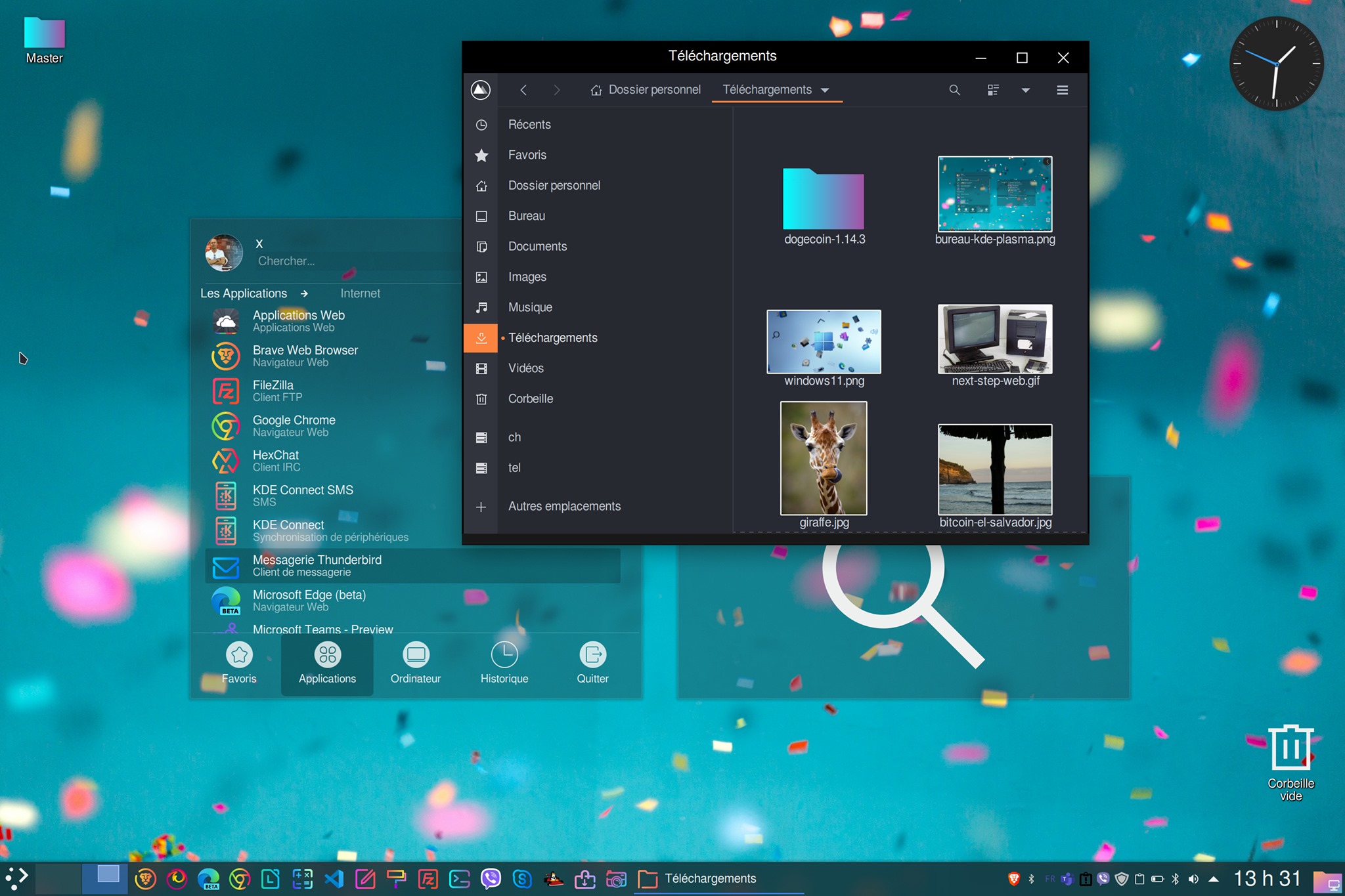
So... Windows 11 or Linux on KDE Plasma?
It's done! The latest stable release of the KDE Plasma desktop, 5.22.2 for Linux OS, has been available for free download since June 21, 2021, and it's a great success! KDE Plasma 5 is the fifth major release - and current generation - of the workspace environment created by KDE.
KDE Plasma is a family of graphic desktops that saw the light of day in 2014. Since the division of the various KDE projects into three autonomous groups, Plasma, Frameworks and Applications, each sub-project develops at its own pace. Plasma thus follows its own release schedule, with new feature releases every three or four months, and bug-fix releases in the intervening months.
Plasma 5 includes a new default theme, known as «Breeze». That said, many other themes can be downloaded at the click of a mouse, because yes, the use of user-selectable themes is nothing new on Linux. Plasma 5's innovations include increased convergence with third-party devices. The graphical interface, meanwhile, has been fully migrated to QML, which uses OpenGL for hardware acceleration, impacting performance while ensuring reduced power consumption.
While three days later, on the occasion of his Event, While Microsoft presented Windows 11 with a range of aesthetic improvements (particularly a revamped graphics environment) and a few technical novelties (the integration of Amazon's Android store into the Windows Store, which makes us think that Linux is just around the corner), KDE Plasma had already been boasting remarkable aesthetics for some time, including the display of windows with transparency and the inlaying of widgets right on the desktop (application lists, search module, folders, processor monitoring).

Almost a year ago, we introduced you to DeepIn UOS distro based on Debian. We were impressed by its graphical environment, which uses... Plasma! However, Linux Mint seemed to us / and still seems to us - the best distribution for the general public, for the business world and for programming / development, because of its stability, its security, its catalog adapted to the French-speaking world (unlike DeepIn OS / UOS), and native features not found on Ubuntu.
Those wishing to start afresh with a distribution equipped from the outset with a Plasma graphics environment can, for example, download Kubuntu https://kubuntu.org/
For this test, and so as not to deprive ourselves of Mint, we chose to install the enhanced graphics environment KDE Plasma on our Mint distro, to reconcile the best of both worlds. As follows, in Terminal commands :
sudo apt updatesudo apt-get install kde-plasma-desktop
Once you've finished, only one change is necessary for systems that didn't use the LightDM display manager before installing KDE. To ensure that the OS is opened under the correct manager, simply revert to the original one (e.g. GDM3 for Gnome-based installations) by opening the configuration application with the following Terminal command:
sudo dpkg-reconfigure lightdm
Then [ENTER] to confirm your choice [OK], and use the up/down arrows to change manager, then [ENTER] to confirm your choice.
Restart the system, either in the usual way or with the Terminal command:
reboot
After reboot, select the Plasma connection option on the login screen (click on the dot to the right of the user name).
Our top trio for the perfect desktop on Linux Mint was the KDE Plasma environment with the dark Arch theme and the Candy icon package.
Ain't life grand?

Related posts

Commodore 70 years on

Apple and the Appearance of Supermen

An experience of privacy according to the gospels of the Linux, Microsoft and Apple worlds

 Français
  English
  Español de República Dominicana
  Kiswahili